
Turn Any Photo Into a Coloring Page (Free, in Your Browser)
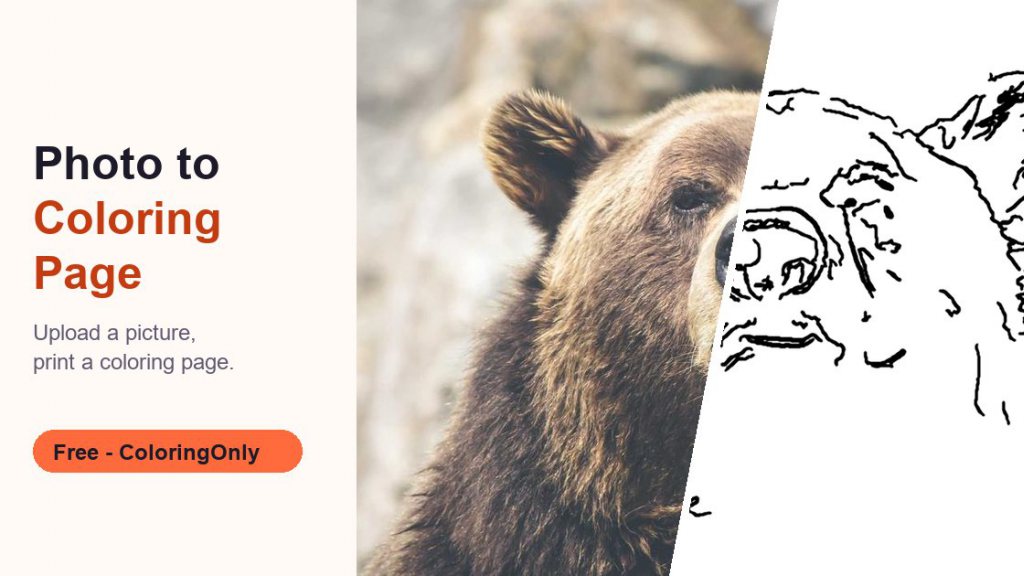
Kids love coloring pages, but they love them even more when the picture is theirs: the family dog, grandma's cat, their new bike, or the sandcastle from last summer. Our new Photo to Coloring Page converter turns any photo into clean black-and-white line art you can print, download or color online, in about a minute.
It's free, there's nothing to sign up for, and your photo never leaves your phone or computer.
How It Works
1. Upload a photo
Open the converter and click Upload a photo, drag a picture onto the tool, or paste one from your clipboard. On a phone you can snap a new picture with the camera or pick one from your gallery.
2. Pick a style
There are three drawing styles, and you can switch between them as often as you like:
- Outline draws clean, connected contour lines. It suits most photos and is the best start for young children.
- Sketch looks like a pencil drawing and keeps more texture, such as fur, hair and feathers. Great for pets and portraits for older kids and adults.
- Shapes splits the picture into flat areas and outlines each one, a bit like a paint-by-number. It works well for landscapes, houses and colorful toys.
3. Fine-tune it
Sliders let you change the detail, the smoothing and the line thickness, and remove stray specks. The preview updates as you move them, so you can stop as soon as it looks right.
4. Print, download or color online
Press Print for a full-page sheet that fits A4 or US Letter paper, or Download to save a PNG you can print later or open in any drawing app. You can also color it right away on screen in our online colorer, and even invite a friend to color the same picture with you live.
Tips for the Best Coloring Pages
Choose one clear subject
A pet on the sofa, a face, a toy, a car or a house works far better than a crowded scene. If you can, crop the photo so the subject fills most of the frame.
Good light, simple background
Photos taken in daylight with a plain wall, sky or floor behind the subject give the cleanest lines. Grass, leaves and crowds add lots of little lines; lower the Detail slider or raise Remove specks to clean them up.
Bold lines for little hands
For toddlers and preschoolers, move Line thickness to the right and Detail to the left. You get fewer, bolder outlines and bigger spaces that are much easier to color inside.
More detail for older kids and adults
Try Sketch with the detail turned up for a page that takes a while to finish, closer to an adult coloring page.
Ideas to Try
- Your pet: a portrait of the family dog or cat is the all-time favorite.
- Birthday party pages: print one page of the birthday child for every guest to color.
- Holiday and vacation photos: turn the trip into a coloring book to remember it by.
- Classroom activities: teachers can make pages of a class pet, a school trip or a local landmark.
- Gifts: a colored-in portrait makes a sweet card for grandparents.
Is My Photo Safe?
Yes. The conversion runs entirely inside your web browser, on your own device. Your photo is never uploaded to ColoringOnly or anyone else, and it's gone as soon as you close the page. If you choose to color with a friend, only the black-and-white drawing (never the photo) is passed to your friend, and it isn't stored.
Please only convert photos you took yourself or have permission to use. The coloring pages you make from your own photos are yours to print, share with family or use in class.
Give It a Try
Grab a favorite photo and make your own coloring page now. Looking for something ready-made instead? Browse our newest coloring pages or play our online coloring games.


